

|
Name |
Sixaxis Controller |
|---|---|
|
Category |
Tools |
|
Developer |
Dancing Pixel Studios |
| Last version | 1.1.4 |
|
Updated |
|
|
Compatible with |
Android 7.0+ |
Introduction to Sixaxis Controller APK
Sixaxis Controller is a utility app for Android that lets users connect PlayStation controllers—like the classic Sixaxis, DualShock 3, or even the DualShock 4—wirelessly to their mobile devices. It’s all about giving your smartphone or tablet a proper console vibe for gaming, without the clutter of tangled cords or awkward on-screen controls.
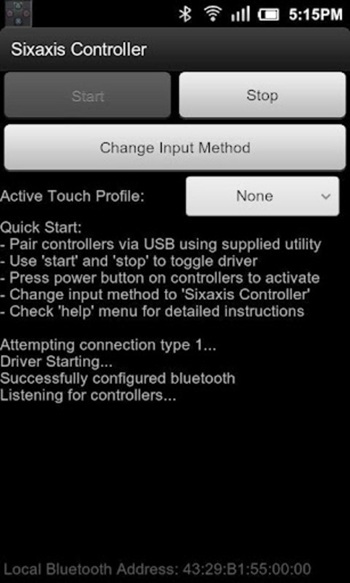
Setting up Sixaxis Controller is pretty straightforward if you’re comfortable with a little technical tinkering. The app requires root access, so it’s mostly for users who like to customize their devices or already have a rooted Android phone. Pairing your controller is usually quick, and there’s even a companion tool (the Sixaxis Compatibility Checker) to make sure your device is supported before you dive in.
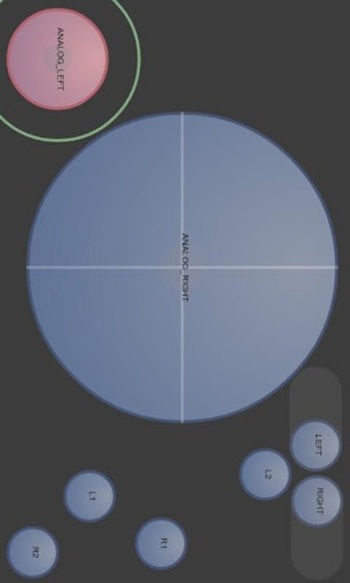
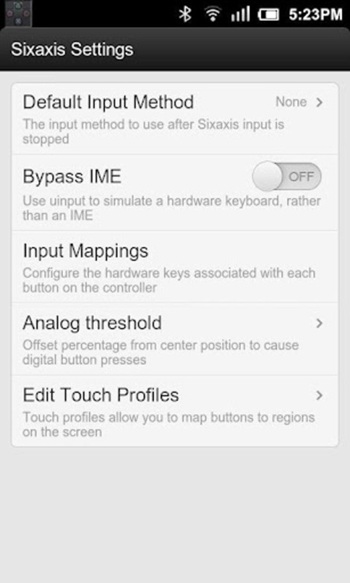
One of the coolest things about Sixaxis Controller is the way it lets you map controller buttons to touch inputs on your screen. If you’re tired of virtual joysticks or games that don’t officially support controllers, you can assign actions, drag controls around, and set up custom layouts to match your play style. The result? Mobile games that feel way more responsive and natural to play.
Beyond basic button mapping, this app supports multiple controller types and profiles, so switching between different games is a breeze. Whether you’re into retro emulators, shooters, or platformers, you can set up unique control schemes for each one. The wireless Bluetooth connection also keeps things neat and lets you play from the couch, bed, or wherever you like.
Sixaxis Controller is ideal for Android gamers who want a more comfortable and tactile experience, especially if you’re already used to the feel of PlayStation controllers. It’s super handy for emulator fans or anyone frustrated by clunky touchscreen controls.
On the flip side, not every Android device is compatible, and you’ll need root access for everything to work correctly—which isn’t for everyone. Some newer devices or custom ROMs might run into hiccups, so it’s good to check compatibility first.
Overall, Sixaxis Controller fits best for tech-savvy gamers, emulator enthusiasts, or anyone who misses the satisfying click of real buttons when gaming on Android.
FAQs Sixaxis Controller
What is Sixaxis Controller and how does it work on Android?
+
Sixaxis Controller is an Android app that lets you connect PlayStation controllers via Bluetooth and remap them for mobile gaming.
Does my phone need to be rooted to use Sixaxis Controller?
+
Yes, Sixaxis Controller requires root access for full functionality and to allow mapping of controller inputs to your device.
Can I use Sixaxis Controller with any Android game?
+
You can use it with most games, especially those that support external controllers or allow touch input mapping, but some apps may not be compatible.
Which PlayStation controllers are supported by Sixaxis Controller?
+
The app works with Sixaxis, DualShock 3, and DualShock 4 controllers, letting you use them for wireless gaming on Android.
What should I do if my device is not compatible with Sixaxis Controller?
+
Try using the Sixaxis Compatibility Checker app first to see if your device is supported before attempting to set up the controller.
Discover More Interesting Apps
-

Theick.io
v0.4.8
29 MB
Updated -
Mod
Remote Mouse Pro
v5.306
63 MB
Updated -
Mod
TLS Tunnel
v7.2.6
27.95 Mb
Updated -
Ace Stream
v3.2.19.5
107.59 Mb
Updated -
90 FPS
v11.4
16.02 Mb
Updated -
Mod
Medix
v1.4.0
69.80 Mb
Updated -
Mod
Multi App
v2.7.0
37.47 Mb
Updated -
Sophon
v1.0.54.1
65.80 Mb
Updated -
Mod
SWAP - No ROOT
vv4.8.8
8.41 Mb
Updated -
Ultimate USB
v10.1.1
71.06 Mb
Updated










Share Your Thoughts